
↵Open
Aphex changelog
High Contrast and Dark Mode

Your coordination meeting runs off the plan on the site office TV. In a bright room, the soft greys and fine lines wash out, so people squint, lose track of which task is being discussed and stop following. Now, with Themes, you can switch Aphex to High contrast so the whole room can read the plan.
See the plan clearly on the big screen
High contrast makes lines, borders and status colours stronger, so the plan holds up on a projector or an older TV, even with the blinds open. Whoever runs the screen switches it on, and everyone can see where one task ends and the next begins.
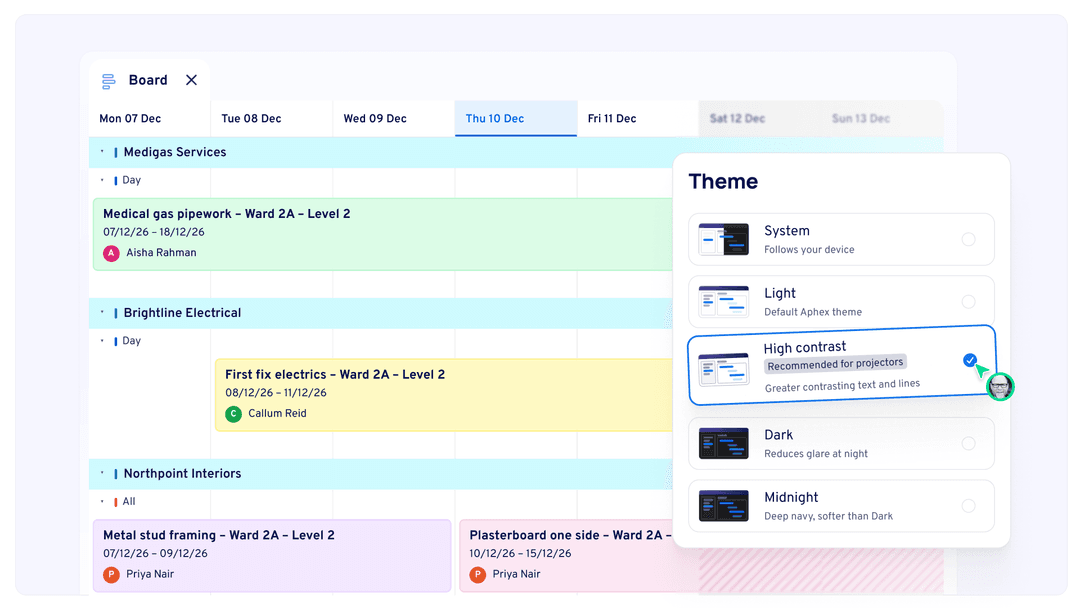
Pick the theme that suits you
Choose from System, Light, High contrast, Dark and Midnight. Dark and Midnight suit anyone on a laptop early in the morning or late at night. The first time you open Aphex after the update, you'll be asked to pick one, and it previews straight away. Each person chooses their own, and print and PDF always stay light.
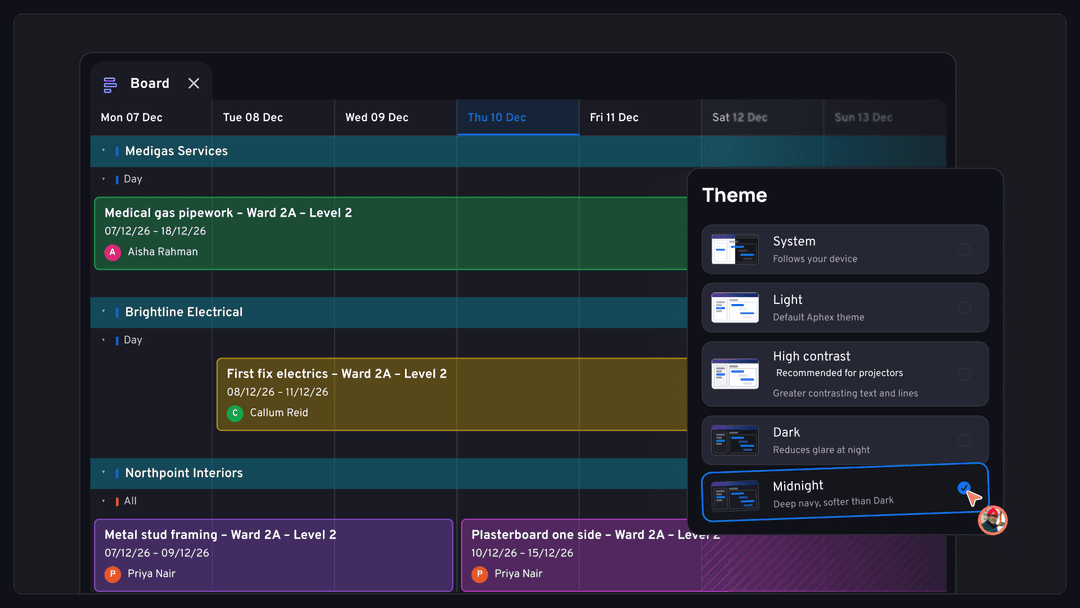
When everyone in the room can read the plan, the coordination meeting stays on the work and the team leaves knowing what's happening tomorrow.
Change your theme any time from Profile → User Preferences.
What else has shipped
New
Planner
Project Insight filters: Use the new “Is within” option on the Folder filter, and give the PPC line its own date window
Admin
The Admin Projects CSV now has a Business Unit column
Saudi Arabia (SA) data region, alongside AU, GB, EU and CA
Mobile
Add a photo, take one with the camera or attach a document straight from comments and progress updates, and add photos in batches
Improvements
Planner
At risk filter now includes every task with the yellow triangle, including measured tasks at 0%
Align Task Duration with Target Rate now asks for a delay reason
Clashes: Map is on by default, and clashes re-check when progress is logged
Clearer error messages when an ArcGIS layer can’t connect, covering wrong passwords, SSO, locked accounts and MFA
Projects keep updating live on strict company networks instead of going stale
Long task names show three lines with “Show more”, so Notes and Blockers stay in reach
Signing in after the session has timed out now takes you to the sign-in page with a clear message
Archive pop-ups and ⋯ menus (packages, labour, plant, subcontractors, calendars, tags and others) now match the new design
Diary
Notes and photo captions linked to a task now sit under that task’s progress in the diary summary
The task activity log shows when a diary is linked or unlinked
Archived or deleted diaries no longer accept new entries
The Records left nav collapses to icons and remembers how you left it
The Diary button now takes you to Diary home
Mobile
Restyled caption page, with faster dictation and one dictation per photo
Linked diaries show an Archived tag
Help in Settings now emails [email protected]
Admin
The “Free Alpha” tag has been removed from Diary seats in org Users and the Add users modal
Fixes
Planner
Submit Update hanging instead of closing
Rippled progress copying the source task’s quantity
Org admin access requests not showing for every admin, or not granting access when approved
A0 map prints with ArcGIS layers missing tiles
“Aphex Home” on the error page signing users out
“Import my current lookahead plans” not clickable in orgs with Business Units
Suspending or restoring a user failing when they were on a deleted project
Drawing location uploads loading forever
Converting a task to a milestone moving it to the bottom of its folder
Access requests showing “Request sent” when they’d failed
Project Data → Unassigned crashing when scrolling fast through a large import
Old entries from failed publishes showing in the baseline overlay list
Clashes showing for tasks with no overlapping days, and disappearing after a task’s dates were extended
Folders appearing empty on the Gantt
Share links and the mobile map showing “Something went wrong”.
Diary
Stray \n and “ characters in diary summaries
AI summaries repeating a bullet for each photo that shares a caption
Mobile
Diary photo uploads stalling
Newly added photos not linking to a task
Unable to restore the first version of a diary
Android SSO sign-in looping back to the login screen
Mobile-only users showing as inactive because their org Last Login wasn’t updating
Failed changes being lost silently instead of showing an error