
Aphex changelog
Share your daily briefing
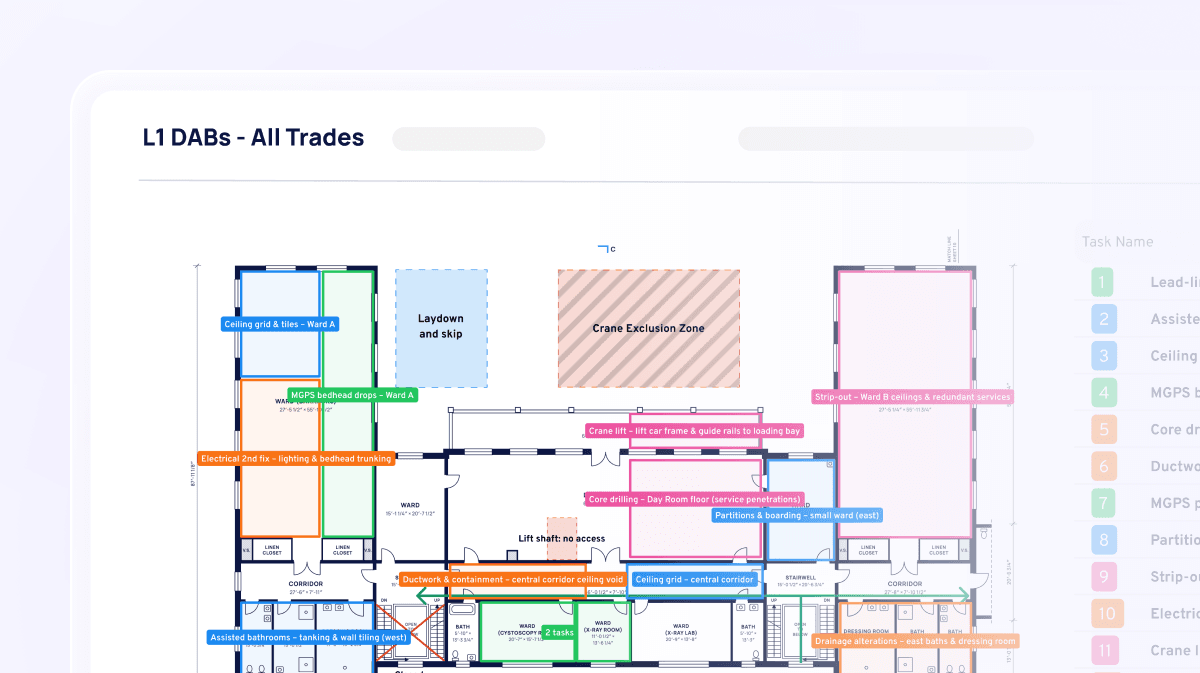
Aphex builds and shares your daily brief straight from the plan. No more printouts, WhatsApps or photos of the whiteboard. Everyone who needs the brief gets it, without anyone sending it by hand.
Get the daily brief to everyone, automatically
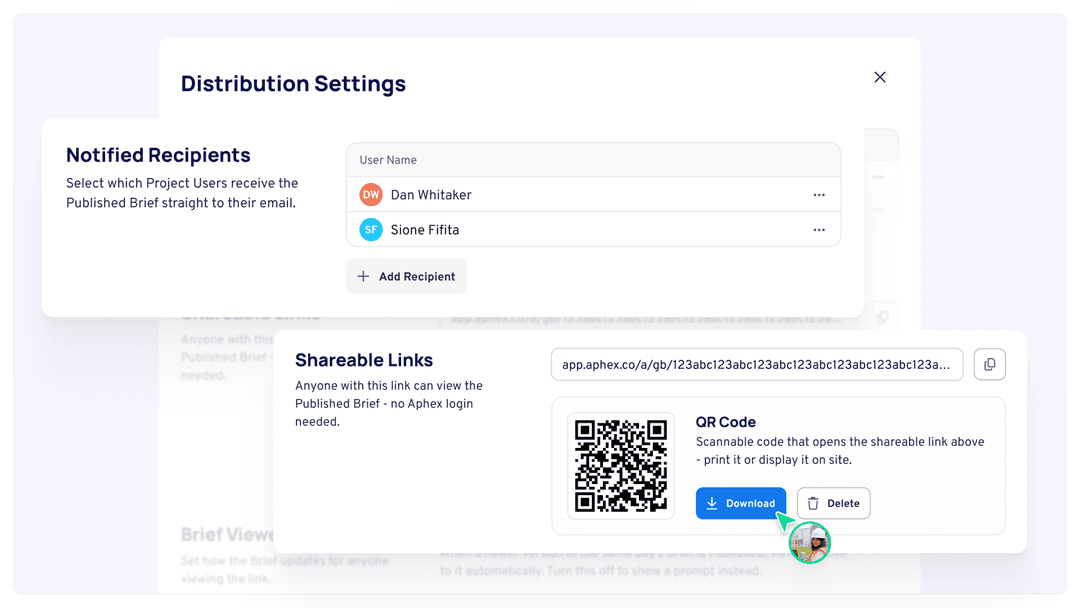
Every template now has a QR code you can print as an A3 poster for the gate or site office. Anyone who scans it sees the latest brief on their phone. Add project users to the template's recipient list, and they'll get an email with a link each time you publish. Set it up once, and publish each day with just one click.
Keep everyone across the latest brief
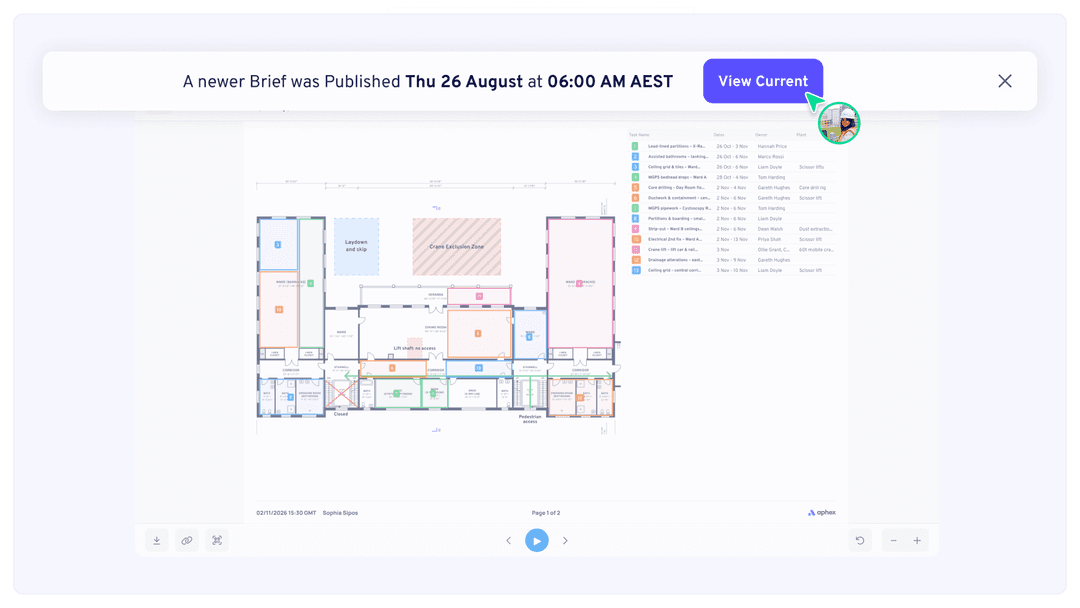
Banners show when a newer version is available, and a red warning appears if nothing has been published for today, so no one works from yesterday's plan by mistake.
Get started
Set up a Briefing from Project Settings, and every crew starts the day on the plan your team agreed.
For more on how to create and share Briefings, head to the Briefing help documentation.
What else has shipped
New
Mobile
App Language
Choose the app language from Settings and switch without restarting
On first sign-in, the app starts in the language you use on web
Dates, calendar names and delay reasons show in the chosen language
Improvements
Planner
Historic Versions and the Inspect viewer now show the date of each Brief
Map Work Areas
Only one work area can be edited at a time, so changes can’t overwrite each other
The map and right-hand panel update straight away when either one saves
Back in work area editing returns you to the previous screen
Drawing controls are hidden while “No work area required” is on
Mobile
Tasks without a production measure now track % complete on mobile, in line with web. Changing a task’s production measure carries its progress over
Faster diary creation
Microphone access can be turned back on from inside the app
Clearer wording on the Tasks screen when there’s nothing to show
Fixes
Planner
Map markups missing from the location section of published Briefing PDFs
Briefing PDFs only showing the first WMTS sublayer, leaving imagery missing
Production rate total showing the wrong figure
WMTS layers failing to add when a sublayer’s title is only numbers
Share to Web not showing tasks in Map view
Super Admins unable to add users to a project from the organisation level
“2 tasks updated” message showing when renaming a single linked task
Users appearing three times in the Publications Summary list
Mobile
Labour and Plant not saving when compiling a diary on mobile
Restored diary versions not showing in the preview or Compile Diary
Diary progress logged against the wrong date after changing the date on the Tasks tab
Diary Production section missing tasks tracked by % complete
Picking a photo from the gallery creating a duplicate in the phone’s gallery
Unable to link notes to tasks
Progress update step counting unplanned tasks
“No seat” popup appearing when adding a contribution offline