
Aphex changelog
v3.10.0
New
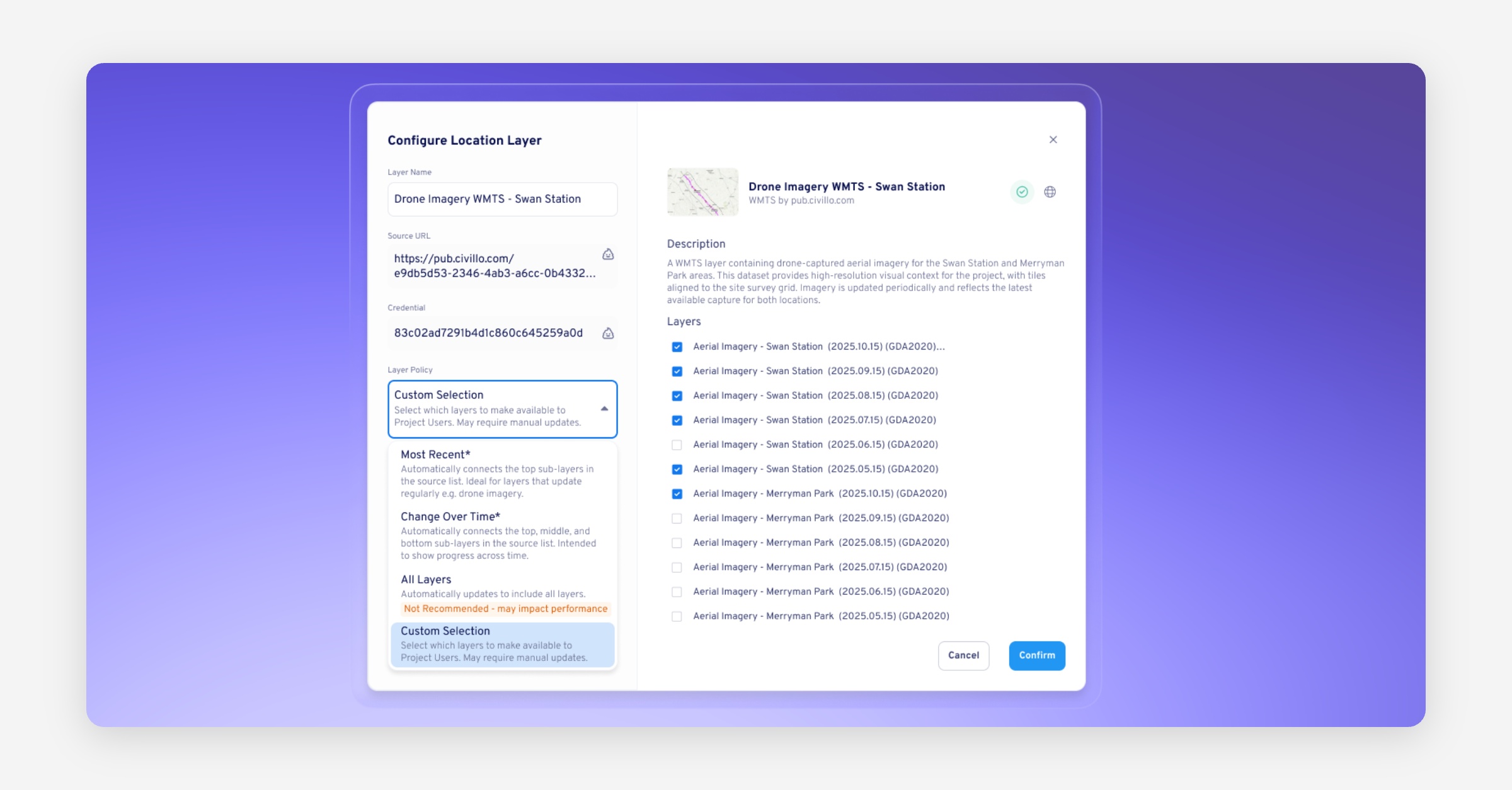
Location Layer Policies
Admins can now control exactly which sub-layers are fetched into Aphex when connecting a layer:
All Layers – imports everything.
Most Recent (1, 2, or 3) – dynamically fetches only the latest layers.
Change Over Time – shows a historical sequence of layers.
Custom Selection – manually choose specific sub-layers to include.
All existing connections will default to “All Layers”, so your current layers won’t change immediately after the update.
Refined Relationship Links
Driving relationships are now clearly labelled with a Driving tag in both the Link Modals and the Task Inspect Panel.
Non-driving links now show their float value, so you can see available flexibility at a glance.
When moving a task adds or removes lag, a temporary lag change indicator appears beside the successor (e.g.
+2 days lag added).The new Single and Multiple Link Modals display each link’s Lag, Link Type, Float, and Driving status, with quick actions to jump to or inspect related tasks on the Gantt.
Improved
We’ve refined the design and flow of the Locations project settings modal and its overflow menu for a smoother cropping and editing experience.
Bug Fixes
Printing
Fixed an issue causing GIS Layers to appear inconsistently in PDF printouts.
Fixed a 500 error that occurred when printing certain projects to PDF from the Gantt View.